
Real-Time Tracking or Downloadable Loggers: Which Workflow Fits?
Compare real-time and downloadable temperature monitoring by when data arrives, alarm response, network dependence and cost structure, lane by lane.
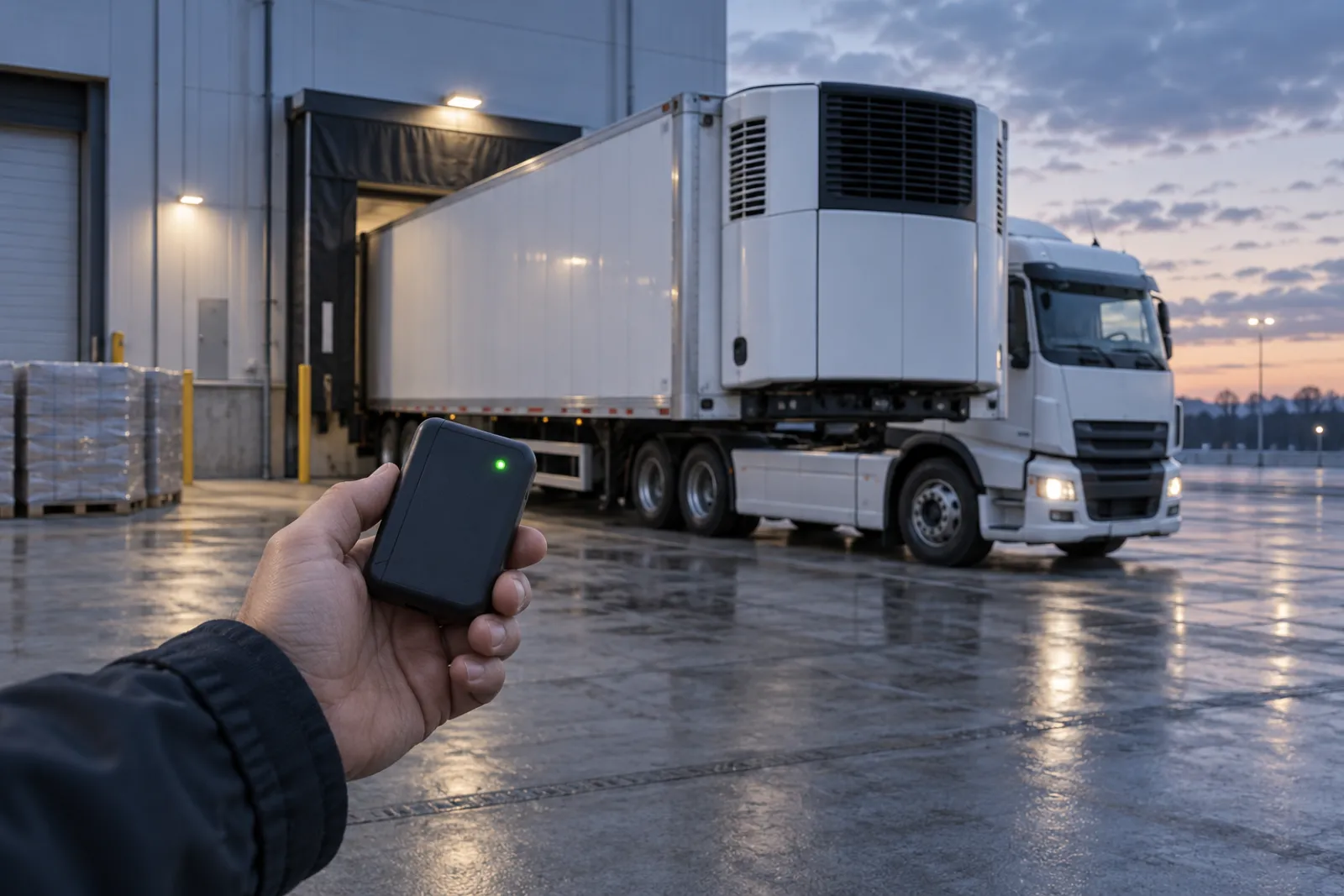
The question being compared
Both workflows record temperature. They differ in when a person can see the data and what they can do with it. A downloadable logger stores readings on the device and releases them when someone connects it to a computer, reads a report or uploads a file. A real-time device sends readings, and sometimes alarms, while the shipment is moving. This guide compares the two on four points: when data becomes available, how alarms are handled, how much each depends on a network, and how the cost is structured. It belongs to the temperature monitoring section and assumes you have read how to specify the underlying device in the data logger specification guide.
It does not pick a winner. On many lanes a downloadable logger is enough, on some a live feed changes what you can do, and some operations use both.
Shared premises
Three things hold under either workflow, and many projects go wrong on them.
- A reading helps only if someone acts on it. A live alarm that nobody owns is no better than a file nobody opens.
- The sensor still needs a defined placement, calibration evidence and an interval, covered in the specification guide and in the guide to calibration certificates. A live feed does not make a poorly placed sensor more representative.
- Temperature limits come from the product documentation. Neither workflow decides whether product can be used.
Where the data comes from
A downloadable logger writes its own full record, complete to the interval even if the shipment passes through places with no signal. A real-time device usually measures at one interval and transmits at another, and may send only part of what it stores. Ask the supplier what is measured and stored on the device, what is transmitted, and what happens to readings taken while there was no connection. Some devices upload the backlog later; others do not.
This matters because the record you keep as evidence may be the device log, the platform copy, or a report generated from the platform. Decide which one is the record and keep the format stable. For regulated uses, ask how a platform treats user access and audit trails, and check the current text of requirements such as 21 CFR Part 11 with your quality group.
When the data arrives and what you can do about it
The diagram shows the difference as two timelines running from dispatch through transit and arrival to review.
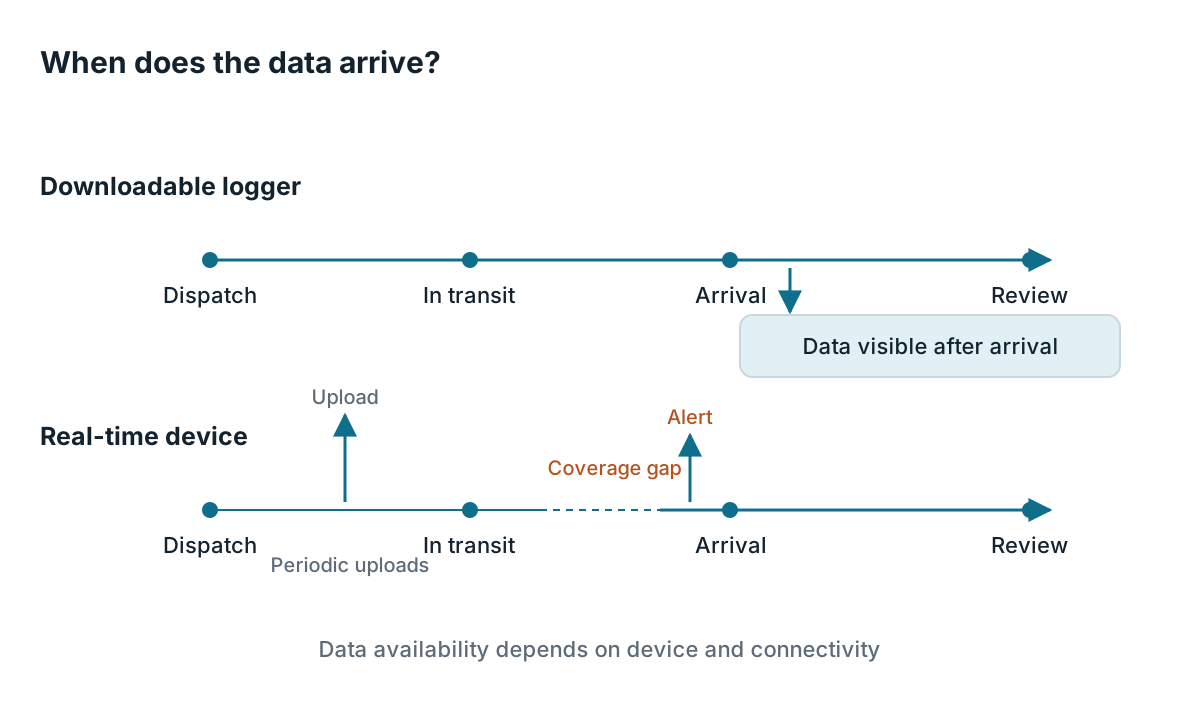
On the downloadable line, nothing is known until arrival. The logger can tell you exactly what happened, but too late to intervene. On the real-time line, the shipment sends signals while it moves, so someone could act. Many buyers overlook the dashed coverage gap: in a tunnel, a cargo hold, a rural stretch or across a roaming boundary the device may hold its data and send it later, so the live view has holes.
Live data is worth what you can do with it. On a road lane where you can call the driver, reroute or send a replacement box, early warning has a use. In an air cargo hold or a sealed container for most of the journey, with no one able to intervene, the live signal mainly shortens the time to know. That can still help with the next shipment, with claim timing and with root-cause work. Name the action first, then decide whether the speed is worth paying for.
Alarm response
An alarm only works if a process stands behind it. Define these before purchase:
- Who receives it, at what hours, and who covers when they are away.
- The first action. For a truck, perhaps contacting the carrier. For a parcel, perhaps contacting the consignee so the box moves to a controlled space on arrival.
- What gets recorded: time of alarm, who responded, what they did and the outcome.
- How thresholds are set. A threshold tighter than the product allows produces alarms nobody trusts, and a looser one defeats the point.
With a downloadable logger, an indicator on the device, such as a light, may be the only alert. It helps only if the receiving party looks at it and knows the rule. If you rely on that, specify and train for it. The warehouse side of this is covered in the guide to warehouse dispatch and handover.
Network and infrastructure dependence
A downloadable logger depends on the receiver being able to read it: a cable, a reader, software, or a report file. Real-time devices add a chain of dependencies: a network technology, coverage on the route, the carrier’s own rules about radio devices, battery capacity for the transmit schedule, and a platform that stays online.
If the lane crosses borders, check roaming arrangements, local rules on radio transmitters and carrier policies on devices in transit. If it includes air carriage, check the airline’s and handler’s current requirements, including the IATA Temperature Control Regulations where they apply. If it goes through areas with unreliable signal, accept delayed uploads and design the process so it still works when the live view is blank.
Cost structure
This guide gives no prices. The table shows how the cost is structured, which is what a buyer can compare.
| Item | Downloadable logger | Real-time device |
|---|---|---|
| Device cost per shipment | Single-use: per-unit charge. Reusable: spread across trips | Often higher device cost; single-use or return-and-reuse models both exist |
| Recurring charges | Software license, if any | Data service, platform access, possibly per message or per device |
| Handling work | Download, review and file by staff | Device return, activation, platform admin, alarm response |
| Loss risk | Logger lost means data lost until found | Device lost may still leave partial data on the platform |
| Reusability burden | Cleaning, reset and battery checks | Same, plus return logistics and platform deactivation |
| Value of earlier information | None before arrival | Possible, if someone can act |
Cost per shipment can be compared only when you include handling labor, returns, lost devices and any change to claim or investigation work. The packout cost guide sets out how to build that comparison with your own figures.
Illustrative example: a team compares two options on one lane and writes the inputs as blanks for its own quotes: device cost per trip, service charge per trip, minutes of staff time per shipment, expected return rate and cost of a lost device. It contains no numbers on purpose, because any figure here would be invented.
Which lane suits which workflow
Treat these as prompts, not fixed rules.
- On a short, controlled lane with a known receiver and no way to intervene mid-route, a downloadable logger is often adequate. The receiver must read the result.
- Where a carrier or driver can be contacted and a fix is possible, live data and alarms can be useful, provided the response process exists.
- On a long, multi-leg lane with handovers between parties, consider live visibility at the handover points and ask who is responsible for the shipment at each one. A downloadable logger plus checkpoint reads at handovers is another route.
- For high-value or sensitive product on an unfamiliar lane, some teams run both: a downloadable logger as the record and a real-time device for visibility. The pharmaceutical packout guide discusses how monitoring fits into the packing workflow.
- On lanes with poor or restricted connectivity, do not buy a live feed you cannot rely on. Choose a downloadable logger or accept delayed upload.
Questions to ask suppliers
- What is stored on the device, what is transmitted, and how often?
- What happens to data during a coverage gap?
- Which network technologies and regions are supported, and what happens on roaming?
- What is the battery life at the transmit schedule I intend to use, and at the temperatures of my lane?
- How are alarms configured, who can change them, and is every change logged?
- Which file or report is the official record, and can I export the original data?
- What are the device carriage restrictions or declarations for air shipments?
- What happens to my data if the platform or the account ends?
Decision checklist
- Write down the action a live alarm would trigger, and who performs it.
- Map the lane for connectivity, handovers and places where nobody can intervene.
- Decide which dataset is the official record.
- Check carrier and regional rules for radio-transmitting devices on each leg.
- Set alarm thresholds from product documentation, not from device defaults.
- Name the alarm owner, the backup and the response log.
- Compare cost on a full handling basis using your own quotes.
- Run a pilot on one lane and review what the data actually allowed you to do.
Scope note: This comparison is for choosing a monitoring workflow. It does not set temperature limits, define excursion decisions or recommend suppliers or devices. Those belong to your product documentation and quality system.
Limitations of this guide
This guide is based on general practice and published standards named by title, not on trials of any device or platform. Cold Chain Practice has not measured coverage, battery life or alarm timing, and the guide gives no prices or performance figures. Carrier, network and regulatory requirements change and differ by region, so confirm current versions at the source. The cost table lists categories only; your own quotes and handling data will show which workflow is cheaper for a given lane.
Related guides
How to Specify a Cold Chain Temperature Data Logger
A specification checklist for a cold chain temperature data logger: range, accuracy, logging interval, export method and calibration documents to request.
Read guide
Pharmaceutical Shipping Packout: What Buyers Must Define Before Equipment Selection
Build packout requirements from product documentation, lane assessment and quality input before you shortlist equipment. Owners, interfaces and records.
Read guide
Temperature-Sensitive Dispatch: A Warehouse Handover Checklist
A cold chain dispatch checklist covering pick checks, logger start, documents, carrier handover, data responsibility and exception escalation fields.
Read guide
Cold Chain Packout Cost: A Transparent Comparison Worksheet
A transparent cost worksheet for cold chain packout: materials, labor, monitoring, return logistics and losses, with formulas and blank cells you fill in.
Read guide